SIIF User Guide
InsightED Mobile App
A comprehensive walkthrough of the School Innovation & Improvement Fund module. Plan educational interventions, allocate funds accurately, and track quarterly utilization logs with built-in system guardrails.
Select Your User Guide Portal
Choose your user role to explore tailored guidelines, workflows, and interactive system simulators.
Comprehensive guide for School Heads to plan interventions, manage step-by-step proposals, calculate budgets, submit requests, and log quarterly utilization.
Detailed guide for Regional and Division Office evaluators to review proposals, verify fund compliance, evaluate milestones, and approve SIIF requests.
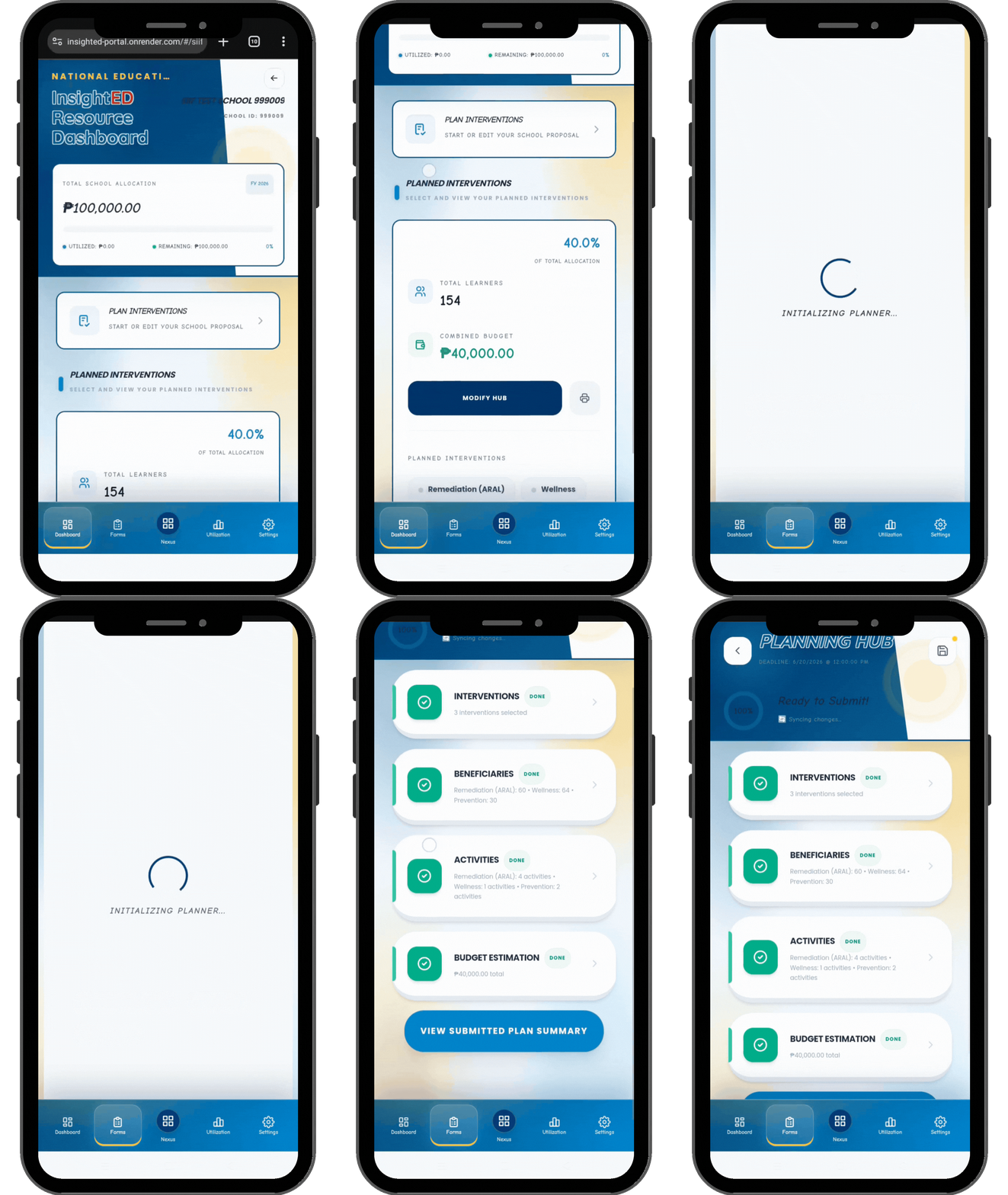
The Planning Hub (Proposal Creation)
A strict, sequential 4-step lock system with deadline-driven editing gates.
The system operates under a firm timeline prominently displayed. After the deadline passes, the Hub automatically switches to a read-only lock.
Each step builds on the previous one. Confirming one step unlocks the next block, ensuring logical progress and data consistency.
Click the "Modify Hub" button or navigate directly to the Forms tab to initialize or revise drafts before final submission.
Step-by-Step Flow
You must complete the Planning Hub in sequence:
Step 1: Interventions → Step 2: Beneficiaries → Step 3: Activities → Step 4: Budget Estimates.
Submission Rule
Changes to plans cannot be submitted once the deadline passes. Review details carefully before locking each module.
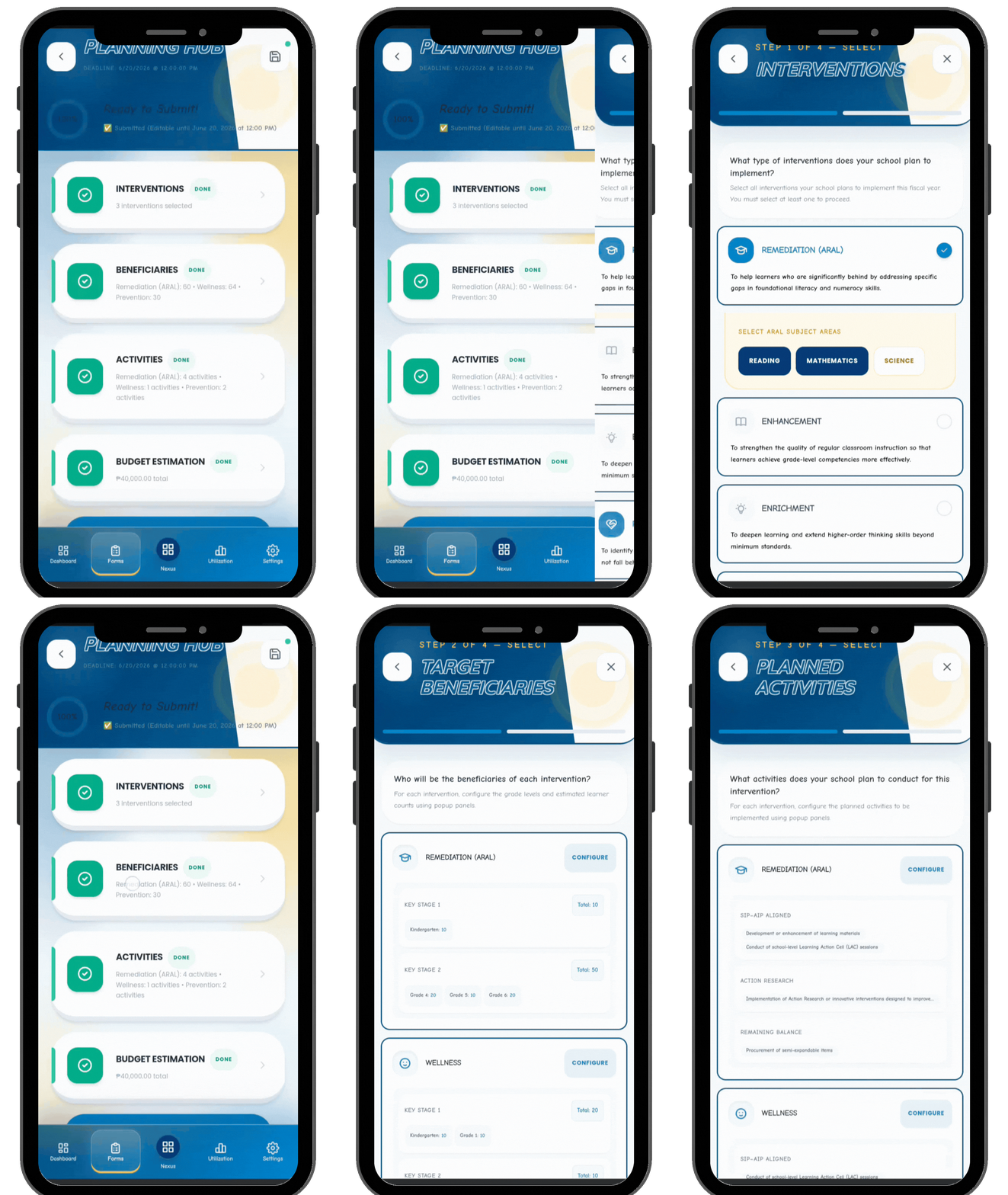
Planning Steps 1â3: Selection & Scope
Defining what interventions your school will run and who benefits.
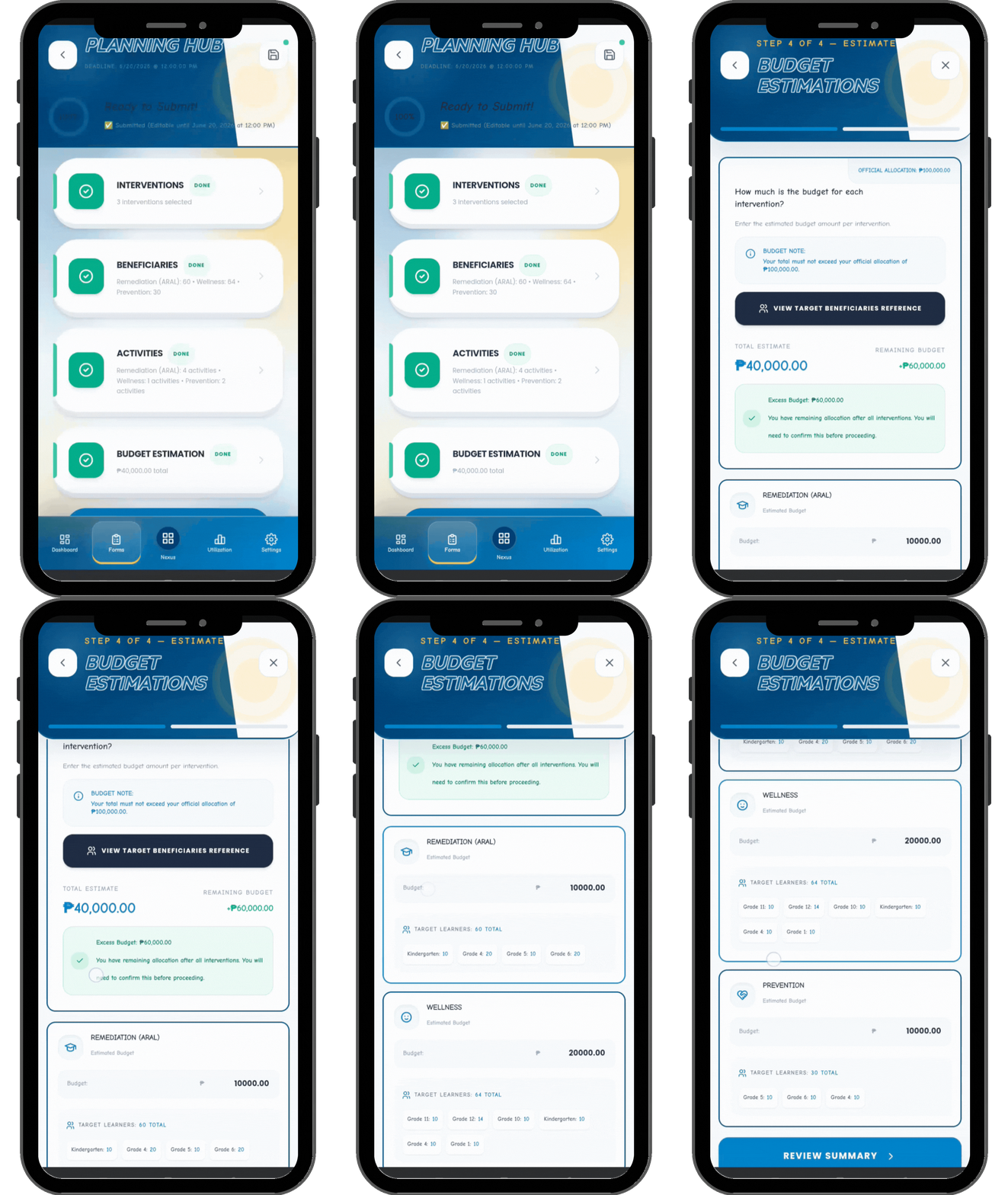
Step 4: Budget Estimation Guardrails
Financial safeguards directly comparing estimates to official allocation boundaries.
Balancing Action
You must adjust estimates downward until the total cost fits within official limits to save or submit.
Interactive Budget Estimator
Limit: âą150,000
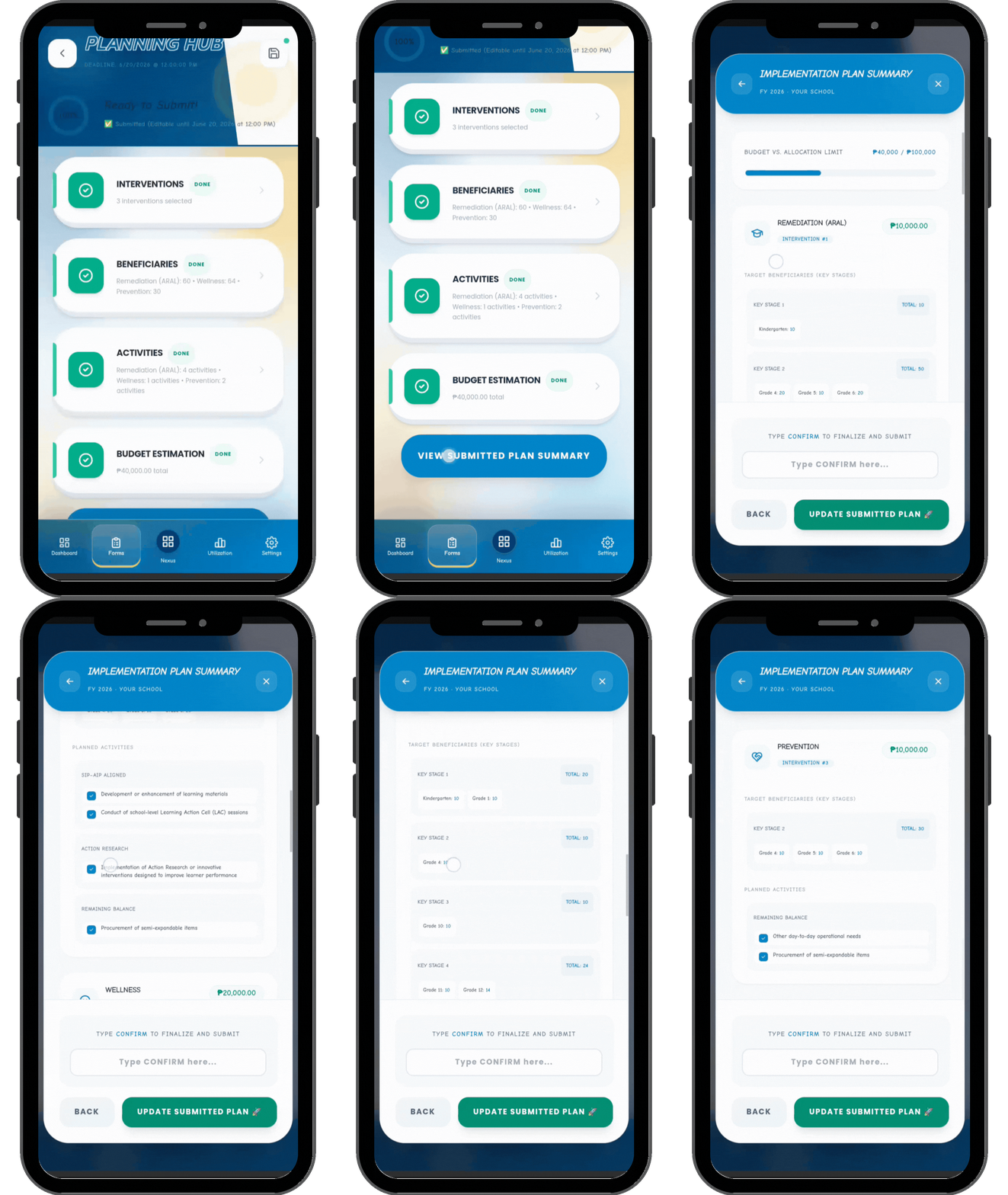
Submitting Your Proposal
Final validation step before formal submission to Division Office.
After ensuring all four steps in the Planning Hub are marked as confirmed with green labels:
Proposal Complete
Once submitted, the system logs the timestamp and locks the submission file from further local modifications.
Quarterly Utilization & Safeguards
Reporting quarterly expenditures with strict spending logic gates.
Expenditure reporting is locked to specific months (e.g. July, October, January). Outside these windows, fields are strictly Read-Only.
You cannot enter an expenditure that exceeds the planned budget for any individual intervention. Input gets blocked instantly.
The system tracks spending across quarters. If an intervention allocation is fully spent, the field locks automatically.